- Fusion 360 assigns no part numbers — only component names.
- Manual spreadsheets lead to duplicates, gaps and drift from the model.
- A good system assigns automatically, is configurable and anchored to the part.
- E-numbers mark prototypes and become part numbers on release.
As soon as a project grows beyond a handful of parts, every part needs a unique part number — for manufacturing, purchasing, bills of materials and communication with suppliers. Fusion 360 brings nothing for this. This guide shows how to number parts automatically in Fusion 360 and avoid the typical spreadsheet chaos.
Does Fusion 360 assign part numbers?
No. Fusion 360 works with component names but has no built-in system for consecutive part numbers. Anyone who needs numbers assigns them by hand so far — usually in a separate spreadsheet, with all the familiar consequences:
Anatomy of a numbering system
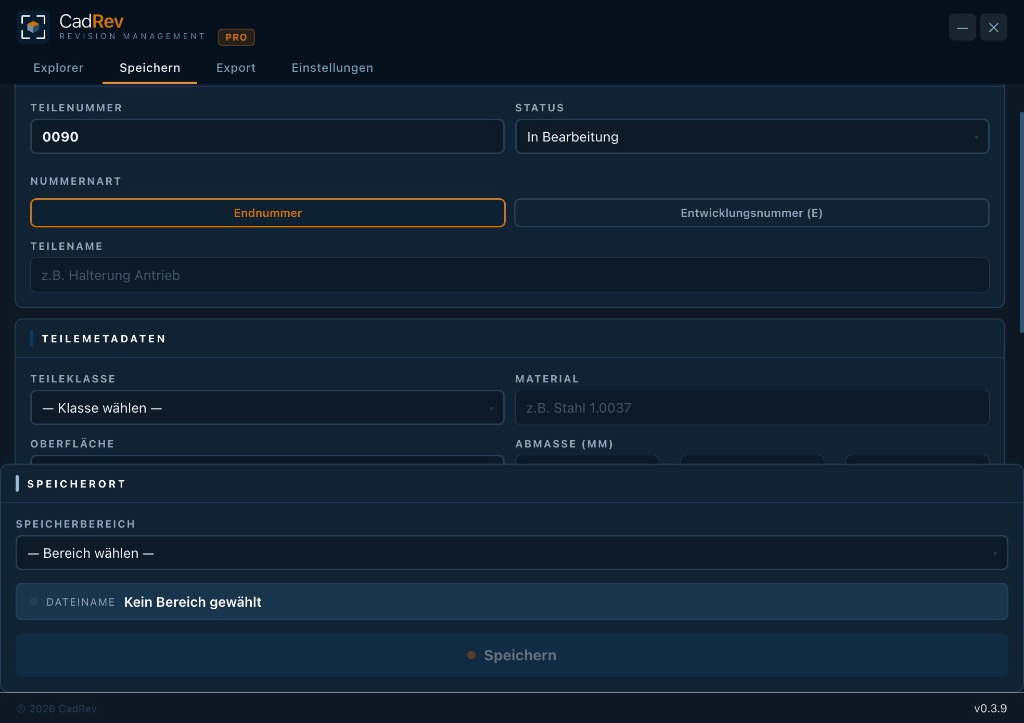
CadRev uses two parallel number ranges — regular part numbers and E-numbers for prototypes that are converted on release:
How to number automatically — with CadRev
When you register a part, CadRev pulls the next free part number from the configured range and binds it permanently to the model. Prototypes run on E-numbers and are converted to regular part numbers on release. Number ranges, part classes and areas are set in the settings.
Counting or speaking numbers?
| Approach | Advantage | Drawback |
|---|---|---|
| Counting (0089, 0090…) | simple, conflict-free | meaning only in metadata |
| Speaking (info in the key) | context in the name | quickly unwieldy |
For most small teams, a counting number plus clean metadata (class, material, area) is the most robust choice — exactly the model CadRev implements.
Conclusion
Fusion 360 provides no part numbers — and manual lists inevitably lead to duplicates and drift. Automatic, model-anchored assignment with configurable ranges and E-numbers for prototypes solves this for good.
Automatic part numbers, E-numbers for prototypes and metadata on the part — right inside Fusion 360.
Download CadRev